// 01 · mobile
Same session on the move.
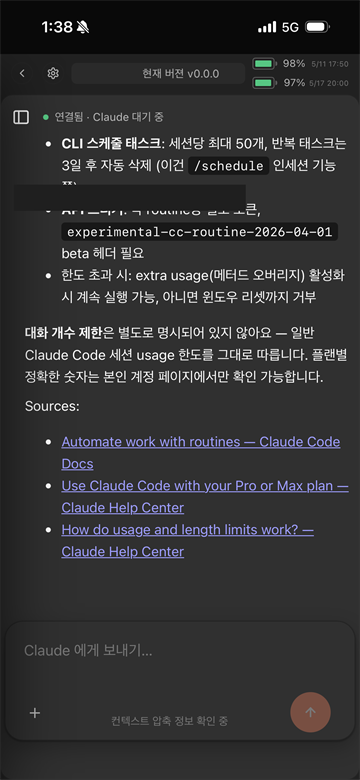
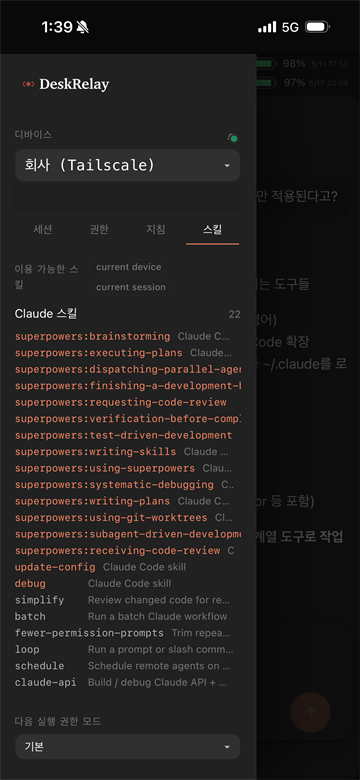
The Android Capacitor app and mobile browser pick up the same session you left on the desktop. Chat, sessions, permissions, instructions, and skills tabs are arranged for the mobile flow.
I built DeskRelay to check and control Claude Code sessions running on my PCs from a browser or phone. One server PC runs site-frontend, site-backend, and a local connector daemon. I register the other PCs as devices over the same LAN or Tailscale tailnet.
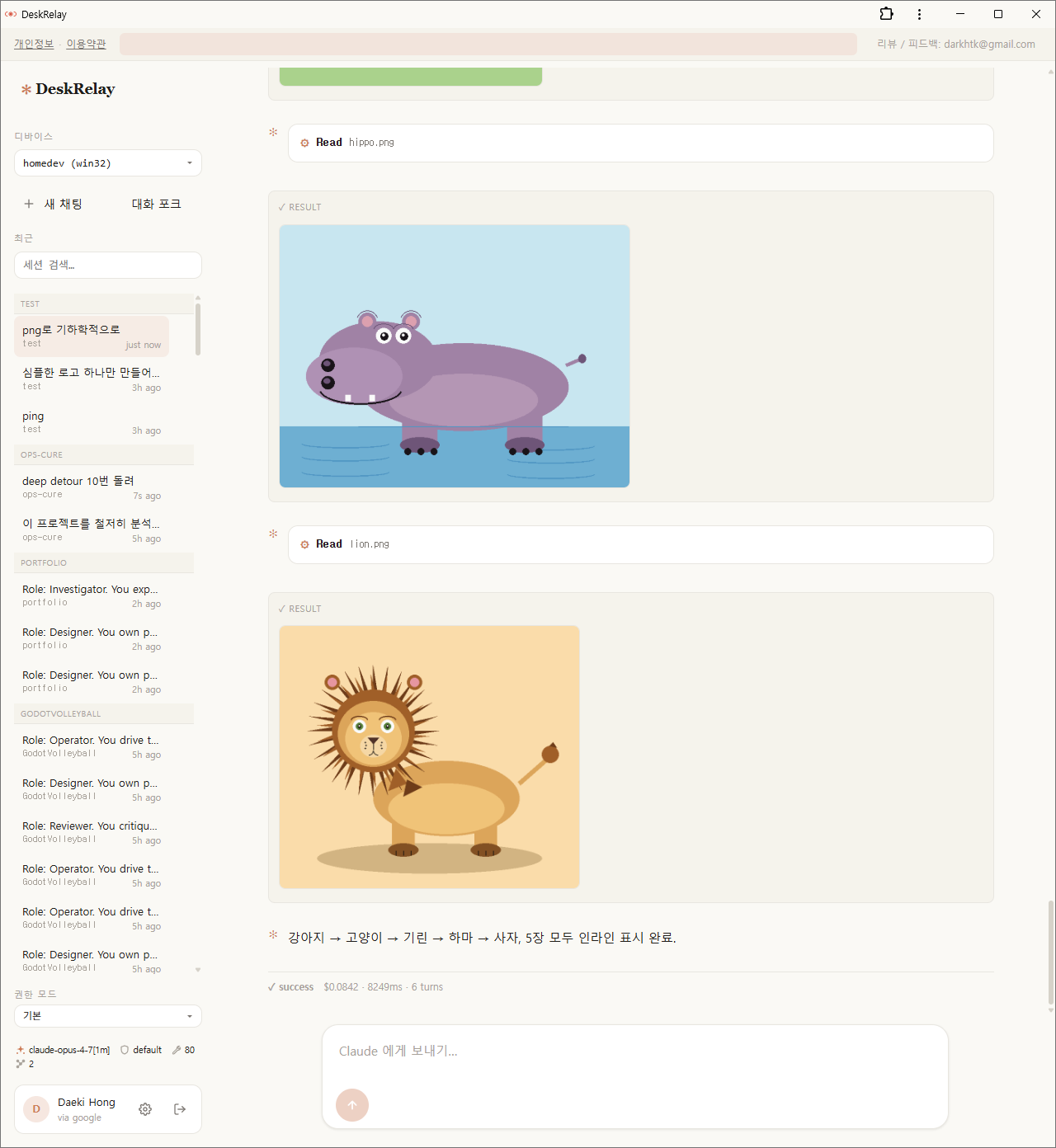
The tool supports mobile use, self-hosting, and multiple PCs.
The Android Capacitor app and mobile browser pick up the same session you left on the desktop. Chat, sessions, permissions, instructions, and skills tabs are arranged for the mobile flow.
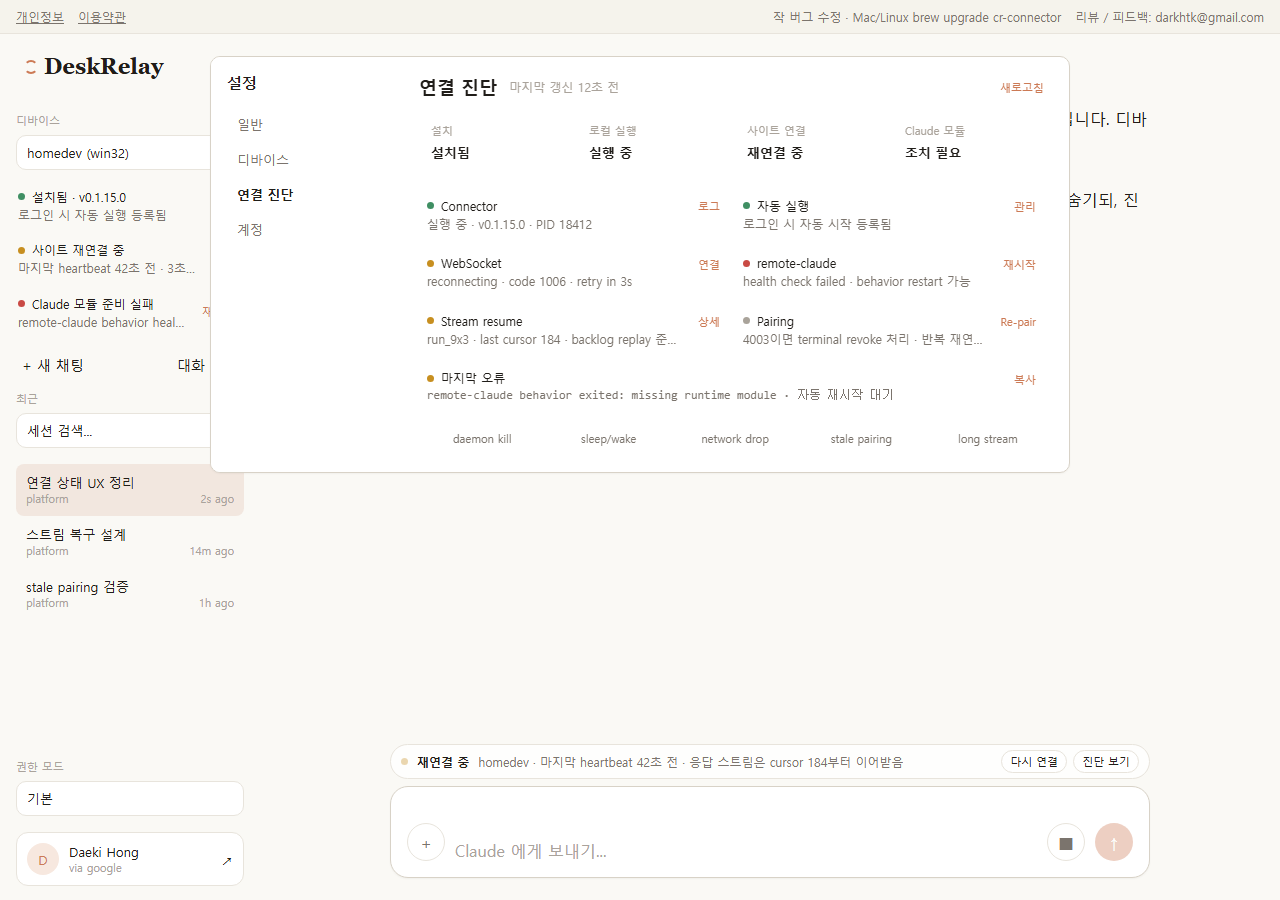
No external server needed — your own desktop runs site-frontend(:18193), site-backend(:18192), and the connector daemon together. No tokens or keys handed off to a third party.
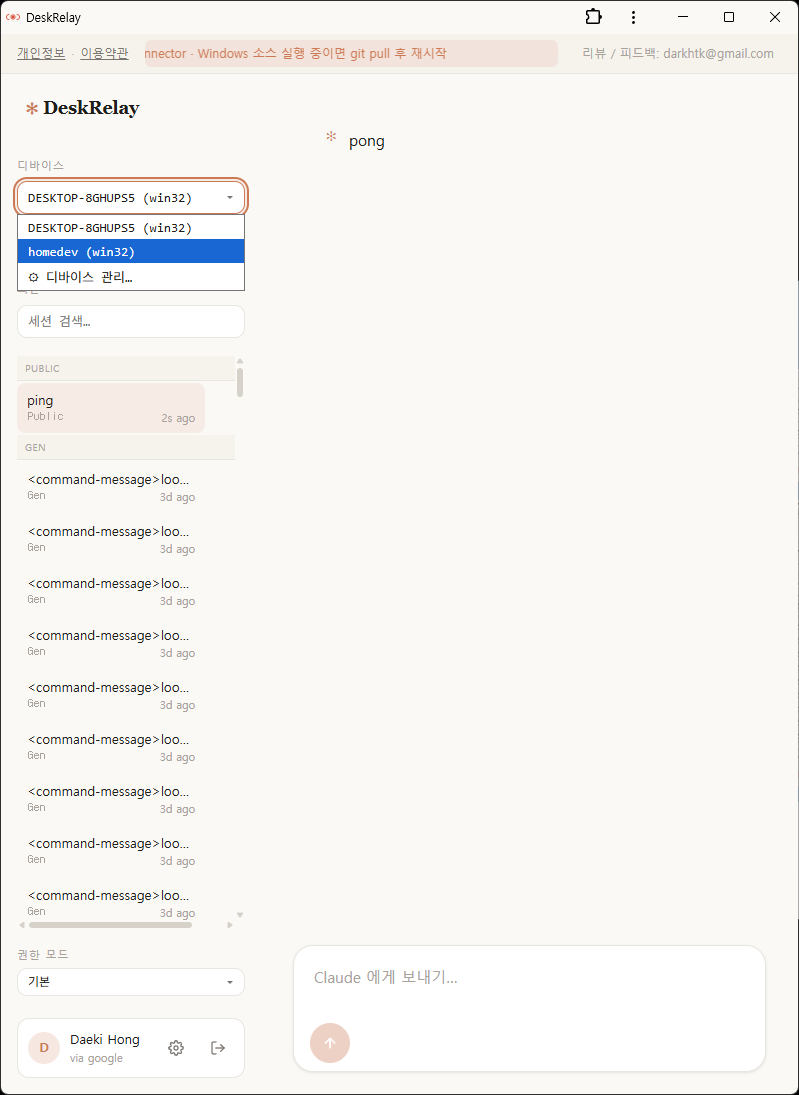
Register Windows PCs in your Tailscale tailnet or LAN as devices and switch between them in a single browser UI. Each PC runs its own :18091 connector daemon.
Browser requests pass through the connector and run on a registered PC. Repositories and tokens remain on that PC and are not sent to an external server.
:18193Solid + Vite screens for chat, sessions, devices, and settings.
:18192Self-host backend that bridges the browser and the connector-daemon URLs the user has registered. State registry in .self-server/state.
:18191 / :18091Private HTTP API that exposes local Claude Code behavior. Runs on both the server PC and every registered PC.
Spawns the local claude CLI on the user's PC and streams stream-json output as kernel events.
.self-server/state.The README follows the order I use: install the server, open the URL, enter the token, register another PC, check the report, update, and troubleshoot. On a new PC, I can follow it from installation to a working connection in under 30 minutes.
Run the install script from Windows PowerShell or macOS Terminal. After install, the default browser auto-opens to http://127.0.0.1:18193.
Paste the registration command from the main screen into the target Windows PC's PowerShell. Repo install/update, connector launch, Tailscale/LAN address detection, server reachability check, and device registration happen in one shot.
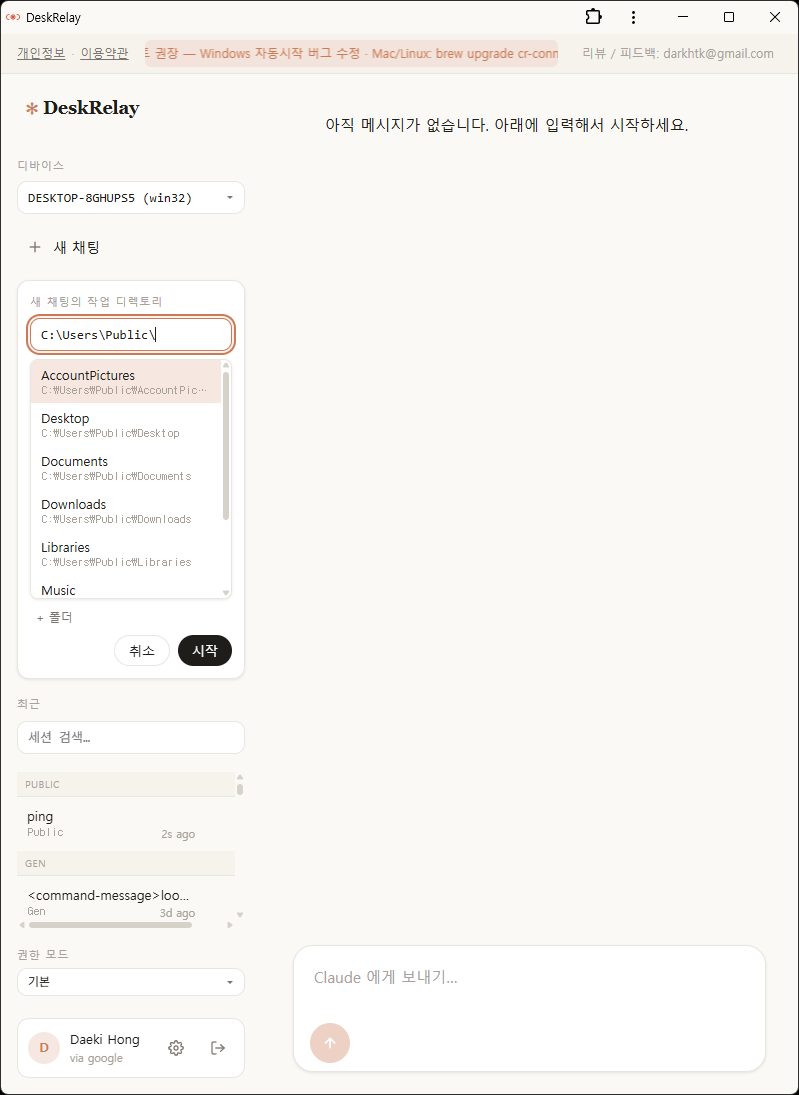
Pick a PC from the left dropdown, choose a working directory for a new chat, and inspect the current Claude environment in the Permissions and Skills tabs.
The README states it plainly: do not expose connector ports directly to the public internet. If external access is needed, use a private network like Tailscale. Registering another PC also requires the same LAN or the same Tailscale tailnet.
Troubleshooting stays inside that boundary too. If a device doesn't appear in the list, check — in order — the server URL, same LAN/Tailscale, the target PC's 18091 port, firewall, registration report, then the connector validation report.
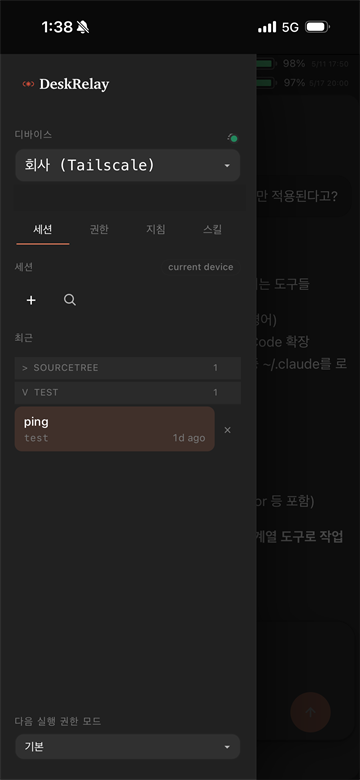
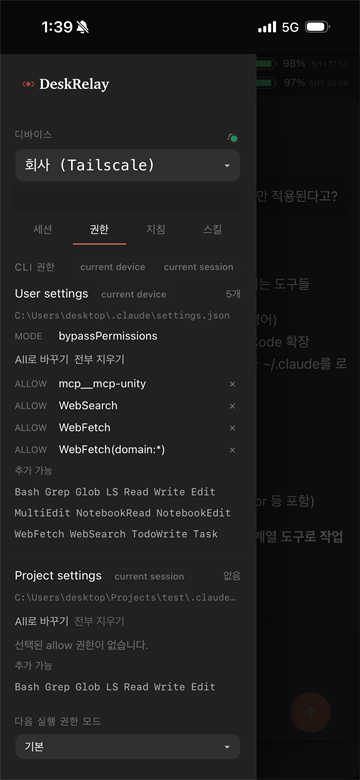
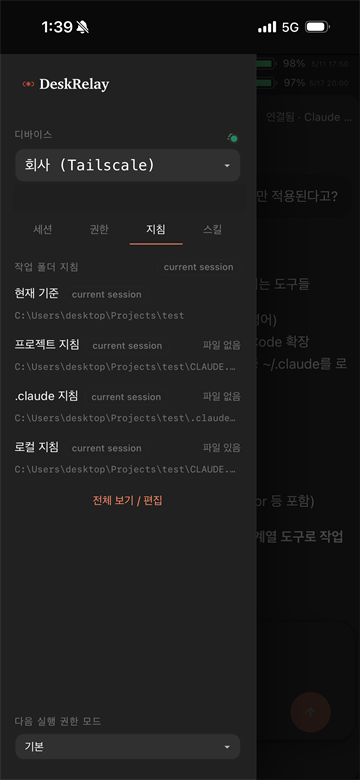
It started as a small remote controller. Daily use led me to add authentication, logging, recovery, and update handling.
I built the Android app as a Capacitor wrapper and set up its permissions, signing, and release channels. A non-developer can follow the README from server install to the first connected PC in under 30 minutes.
I use DeskRelay in my own work and maintain it as an everyday tool for checking and controlling sessions across my PCs.
“I use it every day
across my PCs.